 BINGO LIFE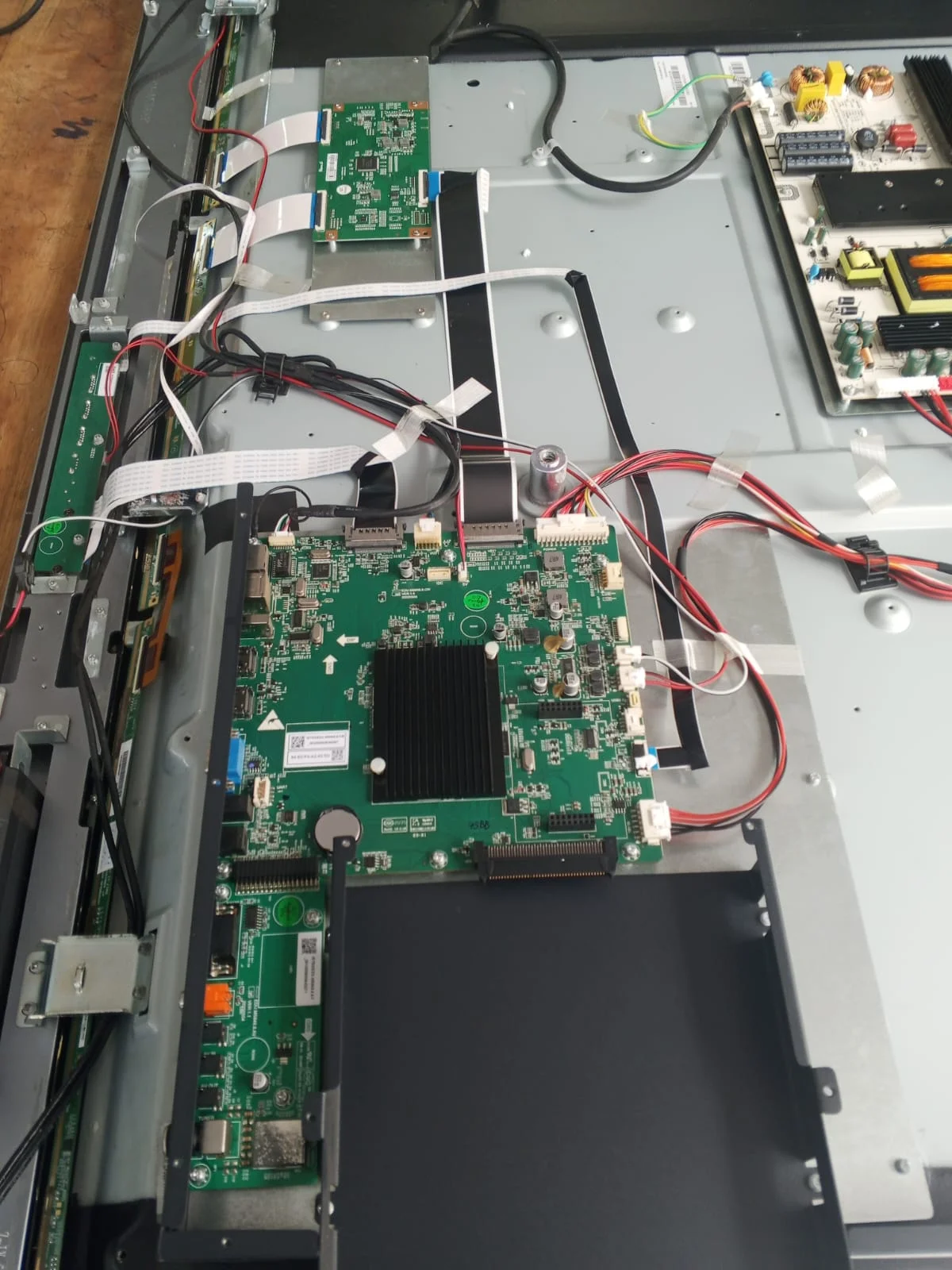
Bingo Life (Pvt) Ltd. provides smart board repair in Sri Lanka and interactive board repair in Sri Lanka for schools, universities, tuition institutes, offices and training centres. Our service covers multiple brands, with repair recommendations based on the exact model, diagnosed fault and compatible spare-part availability.
Smart Board and Interactive Board Repair in Sri LankaA faulty interactive board can interrupt lessons, delay training sessions and disrupt business presentations. However, a blank screen or unresponsive touch surface does not automatically mean the entire board needs replacement. The problem may originate in a cable, connected computer, software setting or internal component.
Bingo Life (Pvt) Ltd. provides smart board repair in Sri Lanka and interactive board repair in Sri Lanka for schools, universities, tuition institutes, offices and training centres. Our service covers multiple brands, with repair recommendations based on the exact model, diagnosed fault and compatible spare-part availability.
Quick Answer: Bingo Life repairs smart boards and interactive displays across major brands, including Abans, Uniview, Riotouch, EWIS, OCTA, ViewSonic, Hikvision and Samsung. Assessment separates touch, display, power, software and connectivity faults before recommending repair or replacement. Contact +94 777 078 484 for a repair enquiry.
Which Smart Board Brands in Sri Lanka Do We Repair?
Bingo Life offers smart board and interactive board repair for all brands listed below. Each unit requires model-specific assessment because components, operating systems and touch technologies differ between manufacturers and product generations.
| Brand | Interactive board or display range |
|---|---|
| ViewSonic | ViewBoard interactive displays |
| Hikvision | DS-D5 series and other interactive displays |
| Dahua | Smart interactive whiteboards |
| Samsung | Flip and interactive eBoard displays |
| Huawei | IdeaHub collaboration displays |
| IQTouch | Interactive whiteboards and flat panels |
| Maxmo | L Series interactive flat panels |
| Newline | Interactive displays and smart boards |
| Yoda | Android interactive smart boards |
| AYME | Interactive SmartBoard series |
| Goake View | Interactive flat-panel displays |
| BenQ | Interactive boards and displays |
| LG | Interactive digital boards |
| Promethean | Interactive panels and whiteboards |
| Abans | Smart boards and interactive displays |
| Uniview | Smart boards and interactive displays |
| Riotouch | Interactive smart boards and flat panels |
| EWIS | Smart boards and interactive displays |
| OCTA | Smart boards and interactive displays |
Sri Lankan manufacturer catalogues and supplier pages list ViewSonic, Hikvision, Dahua, Samsung, Huawei, IQTouch, Maxmo, Newline, Yoda, AYME and Goake View products. BenQ, LG and Promethean also appear in local inquiry-based procurement offerings; listings do not guarantee current stock.
Sources: ViewSonic Sri Lanka, Hikvision listings, Dahua listing, Softlogic display solutions, Lanka Smart Boards, SmartBoard Lanka and Duara Technology.
We repair all these brands, subject to diagnosis and parts availability. Brand references describe service coverage and do not imply manufacturer-authorized service status.
Is “SMART Board” the Same as Any Smart Board?
SMART Board identifies products from SMART Technologies, while “smart board” is also used conversationally for interactive displays from other manufacturers. For a SMART Technologies unit or an unlisted brand, provide the exact model label so the relevant service requirements can be assessed.
What Smart Board Problems Can Be Repaired?
Smart board repair can address faults involving power, touch input, picture quality, computer connections and software. The appropriate repair depends on identifying the failed function rather than assuming that every symptom requires screen replacement.
Common repair enquiries include:
- Power failures: The board does not switch on or shuts down unexpectedly.
- Display problems: The screen is blank, flickers, displays lines or produces a distorted picture.
- Touch problems: Finger input or pen writing is inaccurate, intermittent or unresponsive.
- Connection problems: A laptop shows no picture or cannot receive touch commands.
- Software problems: Applications freeze or the operating system repeatedly restarts.
- OPS computer problems: The installed slot-in computer fails to start or operate reliably.
- Physical damage: Ports, protective glass or the display assembly are damaged.
Why Does the Board Show a Picture but Not Respond to Touch?
On many interactive displays, HDMI carries picture and sound, while a separate USB connection carries touch input back to the computer. A missing USB cable or incorrect touch-port connection can therefore produce a normal picture without touch control. Supported USB-C connections may combine these functions.
Reference: SMART Technologies: Connecting room computers and guest laptops .
Why Does Touch Work in Built-In Apps but Not on My Laptop?
This difference helps narrow the investigation toward the laptop connection, input mapping or computer software. Test the board’s own interface and the connected computer separately before concluding that the touch hardware has failed. Manufacturer guidance also recommends checking USB connections and isolating inputs during troubleshooting.
Reference: SMART Technologies troubleshooting guidance .
How Is an Interactive Board Fault Diagnosed?
A structured diagnosis separates the display, touch system, connected computer and signal connections. Controlled comparisons help identify the cause and reduce the risk of replacing a working component.
A practical assessment follows these steps:
- Identify the equipment: Record the brand, model, serial number and any installed OPS computer.
- Document the symptom: Establish when the fault started and whether it happens continuously or intermittently.
- Compare operating modes: Check the built-in interface and external computer input separately.
- Simplify connections: Where applicable, test a known-working cable without docking stations, adapters or extenders.
- Assess the cause: Determine whether configuration, software, connections or internal hardware require attention.
- Explain the repair: Identify proposed work, required parts and any limitations.
- Verify operation: Repeat the original task after repair and check the affected functions.
Direct cable testing and input comparisons are consistent with SMART Technologies’ published troubleshooting guidance .
Why Should Testing Reproduce the Original Classroom or Meeting Setup?
A board may operate correctly during a short test but still fail with the room’s laptop, docking station or installed cabling. A useful completion check recreates the reported problem and confirms that the repaired system supports the actual lesson or presentation workflow.
How Much Does Smart Board Repair Cost in Sri Lanka?
Smart board repair costs depend on the fault, equipment model, replacement parts and service arrangements. A dependable quotation follows assessment because a connection problem and a damaged display assembly require very different work.
| Fault category | What needs to be established | Main cost consideration |
|---|---|---|
| Connection or configuration | Whether a direct, known-working connection resolves the symptom | Diagnostic and configuration time |
| Touch failure | Whether the fault affects every input or one computer | Required sensor, controller or connection work |
| Power or mainboard failure | Which internal component or assembly has failed | Compatible parts and labour |
| OPS computer failure | Whether the display works independently | Computer repair or replacement |
| Physical screen damage | Which layers or assemblies are damaged | Availability and cost of the required assembly |
Before approving work, request:
- Diagnostic charges, if applicable.
- Parts and labour costs.
- Transport or site-visit charges.
- Estimated completion time.
- Repair warranty terms and exclusions.
Is Repair Better Than Replacing an Older Board?
Compare the complete repair quotation with the installed cost of a suitable replacement. Consider the board’s condition, available parts, software support and whether its capabilities still meet your needs.
Age alone is an incomplete decision rule. An older board with a connection fault presents a different repair decision from one with extensive display damage.
What Should You Prepare Before Requesting a Repair?
The exact model and a clear demonstration of the fault help make the initial assessment more useful. Send photographs or a short video before arranging transport, especially for large wall-mounted displays.
Prepare the following:
- Equipment details: Brand, model number and screen size.
- Label photograph: A readable image of the equipment identification label.
- Fault evidence: A short video showing the problem.
- Operating conditions: Whether built-in apps and external inputs behave differently.
- Recent changes: New cables, software changes, impact or liquid exposure.
- Warranty information: Purchase date and supplier details, if available.
- Location: The site where the board is installed.
Record the symptoms before attempting a factory reset. Preserving settings and important files avoids losing information that may be useful during assessment.
How Can You Contact Bingo Life for Smart Board Repair?
Contact Bingo Life with the board’s model details, location and fault description to request an assessment. Service arrangements, repair feasibility and expected timing can then be discussed for your equipment.
Bingo Life (Pvt) Ltd.
- Call: +94 777 078 484
- WhatsApp: +94 777 078 484
- Email: info@bingolife.lk
- Website: www.bingolife.lk
Whether your organisation uses an Abans, Uniview, Riotouch, EWIS, OCTA or another listed interactive board, start by sending a photograph of its model label and a short fault video.
Frequently Asked Questions About Smart Board Repair in Sri Lanka
Repair options depend on the exact equipment and symptoms, so model-specific assessment remains essential. These answers address common questions from schools, training institutes and businesses arranging interactive board repairs.
Can You Repair a Smart Board Purchased from Another Supplier?
Yes. Bingo Life accepts repair enquiries for the listed brands even when equipment was purchased elsewhere. Provide the model number, fault description and warranty information. Repair feasibility depends on diagnosis and compatible parts. If the board remains under warranty, check the original supplier’s service terms before authorizing independent repair.
Can a Cracked Interactive Board Screen Be Replaced?
Replacement may be possible, but inspection must establish whether damage affects the protective glass, touch system, display panel or several layers. Some models require a complete assembly. Obtain a model-specific quotation before deciding, because the availability of compatible parts and the total cost determine whether replacement is practical.
Can You Assess My Interactive Board Problem Before a Site Visit?
Photographs, a short fault video and model details can support an initial assessment before service arrangements are made. They may help identify a connection or configuration problem. However, internal electrical failures, physical damage and component faults usually require inspection before a dependable diagnosis or repair quotation can be provided.
How Long Does Smart Board Repair Take in Sri Lanka?
Repair time depends on the diagnosed fault, testing requirements and availability of compatible components. A configuration adjustment and a repair requiring imported parts have different schedules. Request an estimated completion date after assessment, including any dependencies, before planning lessons, examinations, training sessions or business meetings around the repaired board.
Should I Factory Reset My Interactive Board Before Requesting Repair?
A factory reset should not be the automatic first step. Record the symptoms and back up important whiteboard files, settings and account information first. Consult the instructions for your exact model or seek technical guidance. Resetting cannot fix physical damage and may remove useful settings without resolving the underlying fault.
Sources reviewed: 2026-10-09.
Put the insight to work
Build your next step with Bingo Life.
Discuss the technology, content and implementation support your business needs.